Sep 15, 2026

How Canva Became the World's Most Powerful Design Tool (and How Founders Can Use It)
The Problem Canva Saw That Adobe Didn't
In the early 2010s, if you wanted to make anything designed — a poster, a presentation, a social graphic — you had two options: hire a designer, or wrestle with professional software like Photoshop and InDesign that took months to learn. For the billions of people who occasionally needed something visual but had no design training — teachers, small business owners, students, tiny marketing teams — design was simply out of reach.
Melanie Perkins saw this up close. At 19, tutoring students on Adobe tools in Perth, Australia, she realised the tools themselves were the problem: students spent an entire semester learning software interfaces before they could produce anything, and she became convinced design tools should work the way people think, not the way Adobe engineers had built them over two decades of accumulated complexity, as the femfounded case study on Canva recounts. That insight became Canva — and it's worth studying, because how Canva won holds real lessons for any founder building a product.
How Canva Won: The Case Study
Canva launched in 2013 with a simple promise: professional design, made simple for everyone. Drag-and-drop, thousands of templates, no training required, and a free plan. The results speak for themselves — Canva now has more than 260 million monthly active users across 190 countries, over 30 billion designs created, around $3.5 billion in annual revenue, a $42 billion valuation, and, rare for a high-growth company, eight consecutive years of profitability. Roughly 95% of Fortune 500 companies use it. Here's what actually drove that, and what founders can take from it.
1. It served the underserved, not the experts — Adobe owned professional designers. Canva ignored them and went after everyone else — the people who needed to make something visual but couldn't. By the time Adobe noticed, Canva had a user base larger than every professional designer in the world combined. Lesson: the biggest market is often the one the incumbent doesn't serve.
2. It removed friction ruthlessly — The whole product was built around making design work the way a non-designer thinks. Lesson: for an underserved audience, ease of use isn't a feature — it's the entire product.
3. It grew product-led, on a free plan — A massive free tier brought people in; a fraction converted to paid (about 12% today, or 31 million subscribers). No huge sales team required. Lesson: a genuinely useful free product can be your cheapest, best growth engine.
4. Templates were the growth engine — Starting from a template instead of a blank page is what made non-designers successful on day one — and every shared design carried a quiet 'Made with Canva,' turning users into marketers. Lesson: remove the blank-page problem, and build sharing into the product.
5. It expanded from a wedge — Canva started with simple graphics, then added presentations, docs, whiteboards, video, websites, print, and enterprise tools — becoming a full visual suite. Lesson: win a narrow use case first, then earn the right to expand.
6. It rode the AI wave early — Canva layered generative AI across everything through Magic Studio — and users have now engaged with its AI more than 16 billion times, with AI in over 40% of all designs. Lesson: when a platform shift arrives, integrate it into your core product fast, both to defend and to extend.
There's a founder's lesson in the origin story too: Perkins pitched investors for roughly three years and collected more than 100 rejections before a single yes. The idea that looks obvious in hindsight was rejected over a hundred times. Persistence was part of the product.
How Early-Stage Founders Can Use Canva
Here's the practical payoff. As a founder, you have no budget for a designer and no time to learn Photoshop — and you need to look professional anyway. Canva is how you do that yourself. These are the eight things worth building in it.
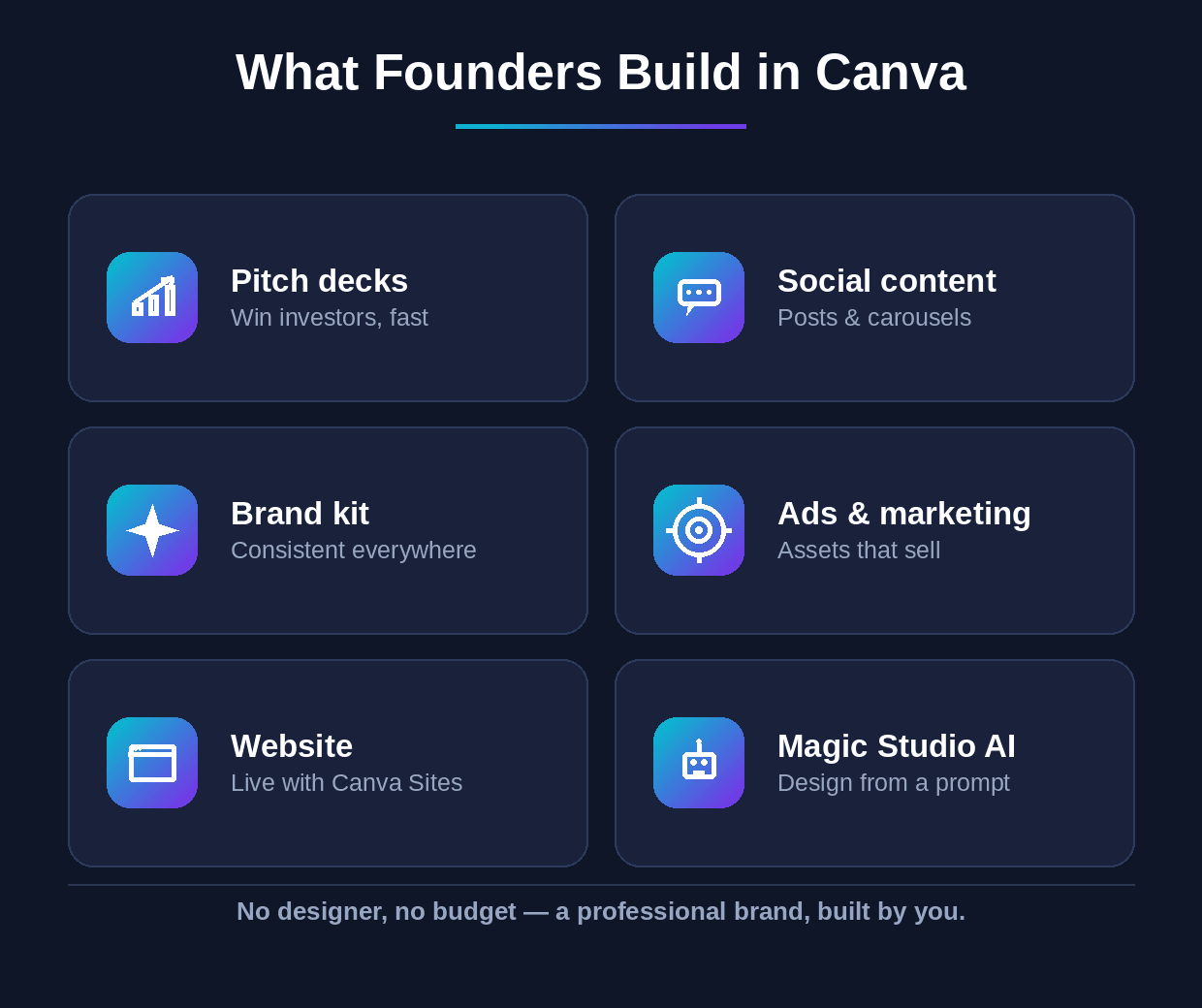
Eight things an early-stage founder can build in Canva — no designer, no budget.
1. Pitch decks — Start from an investor-deck template and drop in your story. You get a clean, professional deck in an afternoon instead of fighting with slide software.
2. Social content — Build LinkedIn posts, carousels, and Instagram graphics from templates — the consistent presence that builds your brand and pulls in your first audience.
3. Your Brand Kit — Set up your logo, colours, and fonts once in Canva's Brand Kit, and every design you make stays on-brand automatically. Do this first — it makes everything after it faster and consistent.
4. Ads and marketing assets — Banners, ad creatives, one-pagers, and flyers — the sales and marketing collateral you'd otherwise pay an agency for.
5. A website — Canva Sites lets you build and publish a simple landing page or site without code — enough to get a real presence live fast while you're still early.
6. Videos and reels — Short-form video and reels from templates, no editor required — the format that drives the most reach on social right now.
7. Docs and one-pagers — Proposals, reports, and one-pagers that look polished — useful for sales, partnerships, and investors.
8. Magic Studio (AI) — Use Magic Design to turn a prompt into a finished design, Magic Write for copy, and the background remover and Magic Resize to repurpose one asset across every channel in seconds.
What to Do This Week
Do the one thing that makes all the rest easier: set up your Brand Kit. Add your logo, pick two or three brand colours and one or two fonts, and save them in Canva. It takes twenty minutes. Then create one asset you actually need right now — most likely a set of three LinkedIn posts or a pitch-deck first draft — starting from a template, not a blank page, and using Magic Design to speed it up. With your Brand Kit in place, everything you make from here on will look consistent and professional without you thinking about it. That's the whole point: a real brand, built by you, for free.
Where Canva Ends and a Product Begins
Canva is close to unbeatable for one thing: your marketing and brand — the decks, posts, ads, and pages that get your business seen. Every founder should use it for exactly that. But it's worth being clear about where it stops. Canva designs how your business looks; it doesn't build the product your business runs on. When you need an actual product — an app, a platform, AI features customers use — that's a different job entirely.
That's the part Wedigtech handles — designing and building real AI-powered products and platforms, from idea to shipped. If your business has outgrown 'looking good in Canva' and needs an actual product built, that's a short conversation worth having — you can book a call and we'll map out what it would take.
Was this helpful?
Ready to architect your next stage of growth?
Partner with wedigtech and turn ambition into compounding, measurable outcomes.
More from Insights
View All

AI Onboarding Workflows That Cut Time-to-Value for SaaS
Seven AI onboarding workflows that cut time-to-value for SaaS: personalized paths, auto-import, a done-for-you first result, in-app copilots and behaviour-based nudges that turn sign-ups into activated users.
Read More
How to Automate a Services Business With AI in 2026
How to automate a services business with AI in 2026: the six places to automate across the client lifecycle, the sequence to do it in, and what to keep human.
Read More
20 AI Agents for a Founder's Daily Department Reporting
20 AI agents that report a founder's daily numbers from every department: sales, marketing, finance, product, support, operations and people, rolled into one morning brief.
Read More